

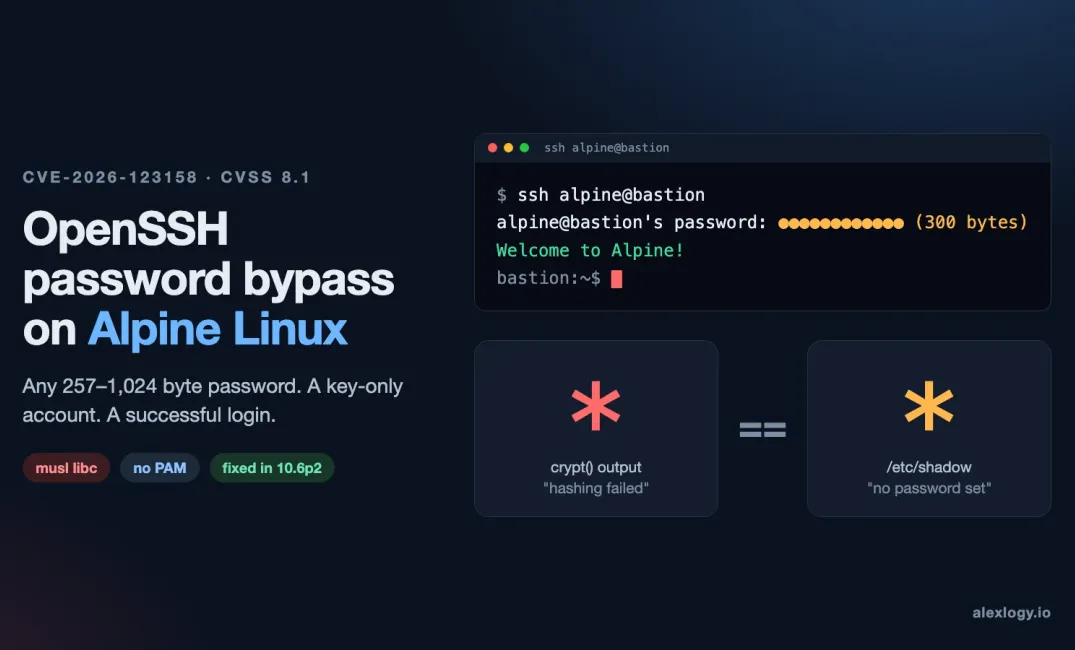
Checked 6 November 2026. Things move fast with this one, so check the linked OpenSSH and Alpine advisories for anything newer.
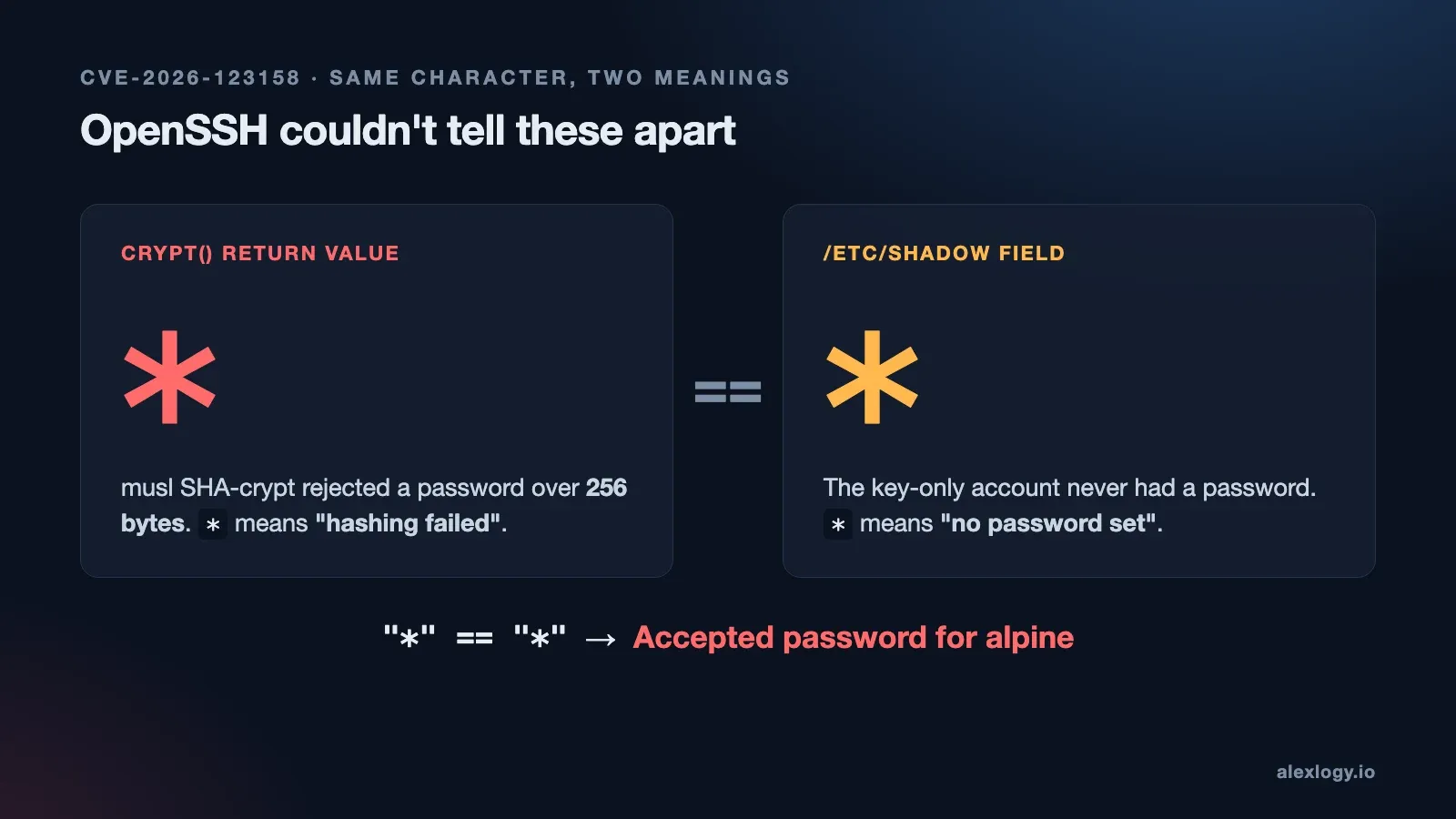
* values at an SSH login. One means hashing failed. The other means the account has no password. OpenSSH couldn't tell them apart.First it was PHP2Shell, then Node2Shell. I was really hoping November would be quiet.. 😅 Nope. OpenSSH dropped 10.6p2. All the CVEs are coming in like machine guns....
This one got my attention because the setup is so normal. You spin up an Alpine VM, give the user an SSH key and never bother setting a password. Password login for that user should fail, right?
On an unpatched server, it might not.
Under the right conditions, OpenSSH will let that user in with any password between 257 and 1,024 bytes long. Literally any. The attacker just needs the username and a way to reach sshd. If password auth is enabled on its own, that can be all it takes.
Alpine Linux released a security advisory: Alpine Linux security advisory
So the first thing I'd check is simple: does the server even offer password auth for that account? Handing someone an SSH key and turning off password auth on the server are two separate decisions. It's easy to assume one means the other. This CVE is exactly why it doesn't.
What is CVE-2026-123158?
It's a password authentication bypass in sshd, the OpenSSH server. It only hits one specific path on Linux: OpenSSH built against musl libc, checking passwords without PAM.
Guess what Alpine's standard openssh-server package is? Yep, musl and no PAM. That's why this post is mostly about Alpine.
The quick facts:
- Fixed in: Portable OpenSSH 10.6p2, released 5 November 2026
- Reported by: Özgün Kültekin of Wakefield
- Severity: CVSS 3.1 8.1 High
- Public PoC: yes, according to CISA's entry in the CVE record
Which Alpine OpenSSH packages fix CVE-2026-123158?
Heads up: don't just look at the OpenSSH version number. Alpine backported the fix, so a 3.24 box can still say OpenSSH 10.3 and be totally fine. You need to check the full package revision against your branch. On 3.24, the first fixed package is 10.3_p1-r2.
| Alpine branch | First fixed openssh package |
|---|---|
| edge | 10.6_p2-r0 |
| 3.24 | 10.3_p1-r2 |
| 3.23 | 10.2_p1-r1 |
| 3.22 | 10.0_p1-r11 |
| 3.21 | 9.9_p2-r1 |
| 3.20 | 9.7_p1-r6 |
| 3.19 | 9.6_p1-r3 |
| 3.18 | 9.3_p2-r4 |
| 3.17 | 9.1_p1-r7 |
| 3.16 | 9.0_p1-r6 |
The fix also landed in the 3.24.4, 3.23.8, 3.22.8 and 3.21.10 point releases. Credit to the Alpine team here: they pushed fixes all the way back to 3.16, including branches that are already end of support. 👏
Still got hosts on those old branches? Patch them now. Plan the upgrade to a supported branch separately. Don't let one block the other.
How do I check if my Alpine server is vulnerable?
There are four things that all need to be true. Check them on the running system, not the image you think it was built from.
- Is OpenSSH actually listening? It has to be a reachable, unpatched
sshdbuilt on musl. Most Alpine containers don't run SSH at all, so they're out of the picture. - Is it checking passwords without PAM? That's the standard
openssh-serverpackage, oropenssh-server-pamwithUsePAM no. WithUsePAM yes, passwords go through a different path. - Can the user even try a password? Look at the effective
PasswordAuthenticationvalue, yourMatchblocks andAuthenticationMethods. If you've gotAuthenticationMethods publickey,password, a valid key is still needed first. - Do the accounts line up? The target has a password field of exactly
*, and some other local account has a$5$(SHA-256-crypt) or$6$(SHA-512-crypt) hash.
Here's how I'd check each one. Start with the Alpine release and which package owns sshd. If you're running a custom build, point it at your actual binary.
cat /etc/alpine-release
apk info -W /usr/sbin/sshd
Then see what config sshd will actually apply for a real connection. Swap in your own user, IPs, hostname and port. If your service starts with a custom config file or flags, add them in too. sshd -T -C reads the config on disk and applies whatever Match rules fit the connection you describe.
sshd -T -C user=alpine,addr=192.0.2.10,host=client.example,laddr=192.0.2.20,lport=22 |
  grep -E '^(passwordauthentication|usepam|permitrootlogin|authenticationmethods) '
Last one. This lists every user with a * password field and tells you if there's a $5$ or $6$ hash anywhere on the box. Run it as root. Don't worry, it won't print the hashes.
awk -F: '
  $2 == "*" { print $1 }
  $2 ~ /^\$[56]\$/ { found = 1 }
  END { print "Local SHA-crypt hash present:", (found ? "yes" : "no") }
' /etc/shadow
What about other distros and cloud images?
According to the OpenSSH maintainers, this only affects the musl, non-PAM path on Linux. Running a custom build or some appliance? Check what SSH daemon it actually ships.
And knowing your cloud provider doesn't tell you much. AWS says its Amazon Linux packages aren't affected, but Alpine's own guest images on the same cloud can be. It's about what's inside the VM, not where it runs.
How an Alpine tiny-cloud instance becomes exposed after first boot
Okay, this is the bit I'd really want every team running Alpine in the cloud to read.
Alpine's official tiny-cloud images (QCOW2, VHD and AMI) from 3.18.11 to 3.24.3 ship with an alpine user. That user has * as its password field and can run doas without a password.
Straight out of the box, they're fine, because there's no local password hash on the system. Condition 4 isn't met.
Then someone sets a console password "just in case". 🙃
Or a $6$ hash gets added through user-data. Now the missing piece is there, and that alpine account is open to the bypass. For what it's worth, Alpine's separate cloud-init images set PasswordAuthentication no, so they don't have the same problem.
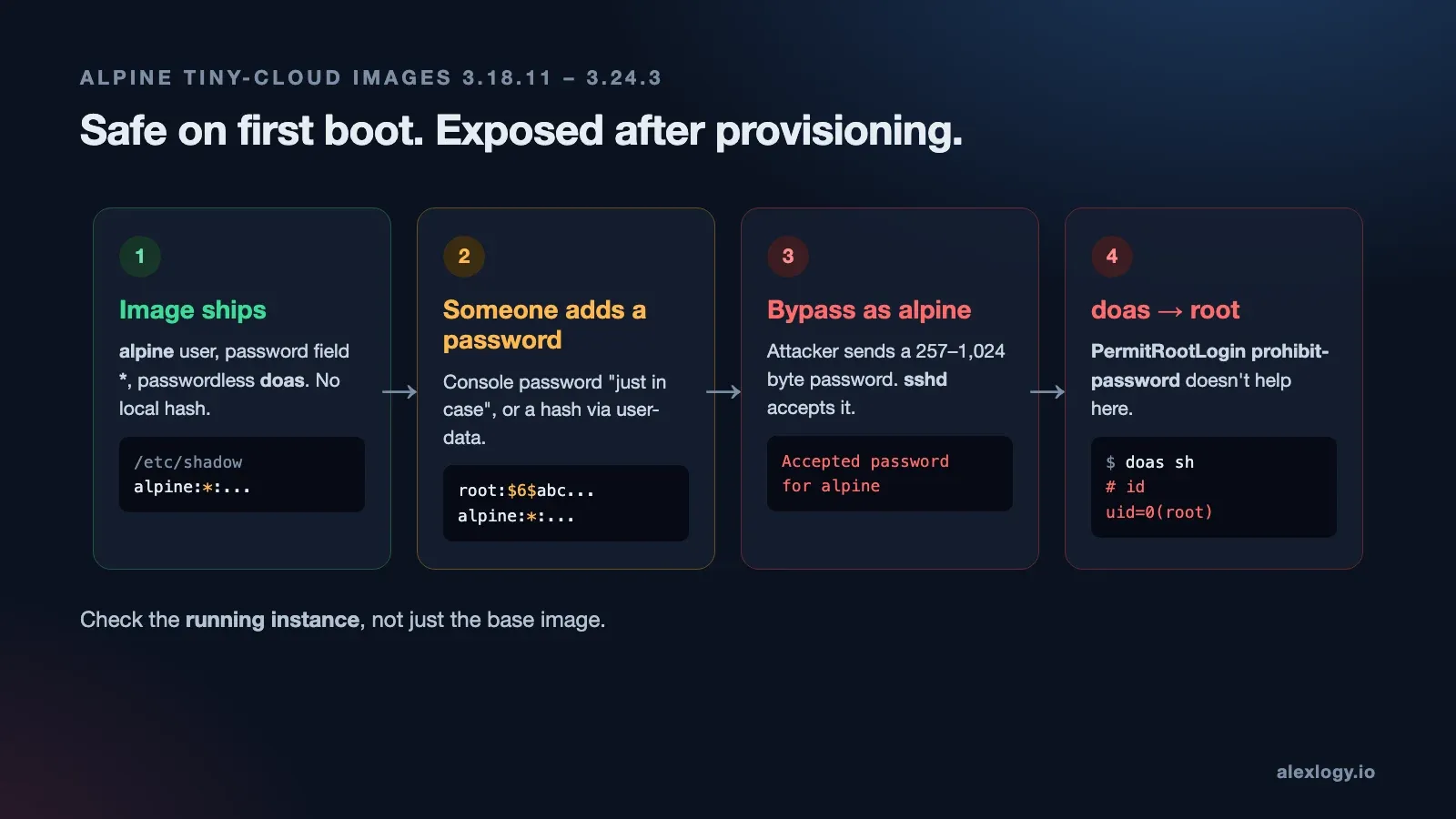
$6$ hash after provisioning, and the existing alpine account becomes reachable. Passwordless doas does the rest.You might be thinking: "But PermitRootLogin prohibit-password is the default." True, and it does block a direct root password login. It doesn't do anything for the alpine user, though. Log in as alpine, run doas, and you're root. One command.
That's why I'd always check the running instance after provisioning. The base image being safe on first boot means nothing if something changes later.
How does a failed password check turn into a successful login?
This is the fun part. 🤓
Normally, sshd takes the password you send, hashes it with the algorithm and salt from the account's stored hash, and compares the two. But an account with * in /etc/shadow doesn't have a hash. So why is sshd hashing anything?
Turns out it's a timing thing. Back in 2016, OpenSSH added a mitigation so attackers couldn't guess which usernames exist by measuring how fast a login fails. To keep the timing consistent, it does the same hashing work even when the account has no usable salt. In the vulnerable path, it borrows the salt from another local account to do that.
Sounds harmless enough. Here's what actually happens:
Password login for an account stored as "*"
→ OpenSSH borrows another account's $5$ / $6$ salt for timing
→ Password is 257–1,024 bytes
→ musl SHA-crypt rejects input over 256 bytes, crypt() returns "*"
→ "*" == "*" → password accepted
musl's SHA-crypt gives up on anything over 256 bytes and returns * to say "this failed". OpenSSH happily accepts passwords up to 1,024 bytes, so there's a window in between. Send a password in that window, crypt() returns *, the shadow file also says *, and the old code goes "they match!" ✅
Two completely different meanings of *. Same character. Login accepted.
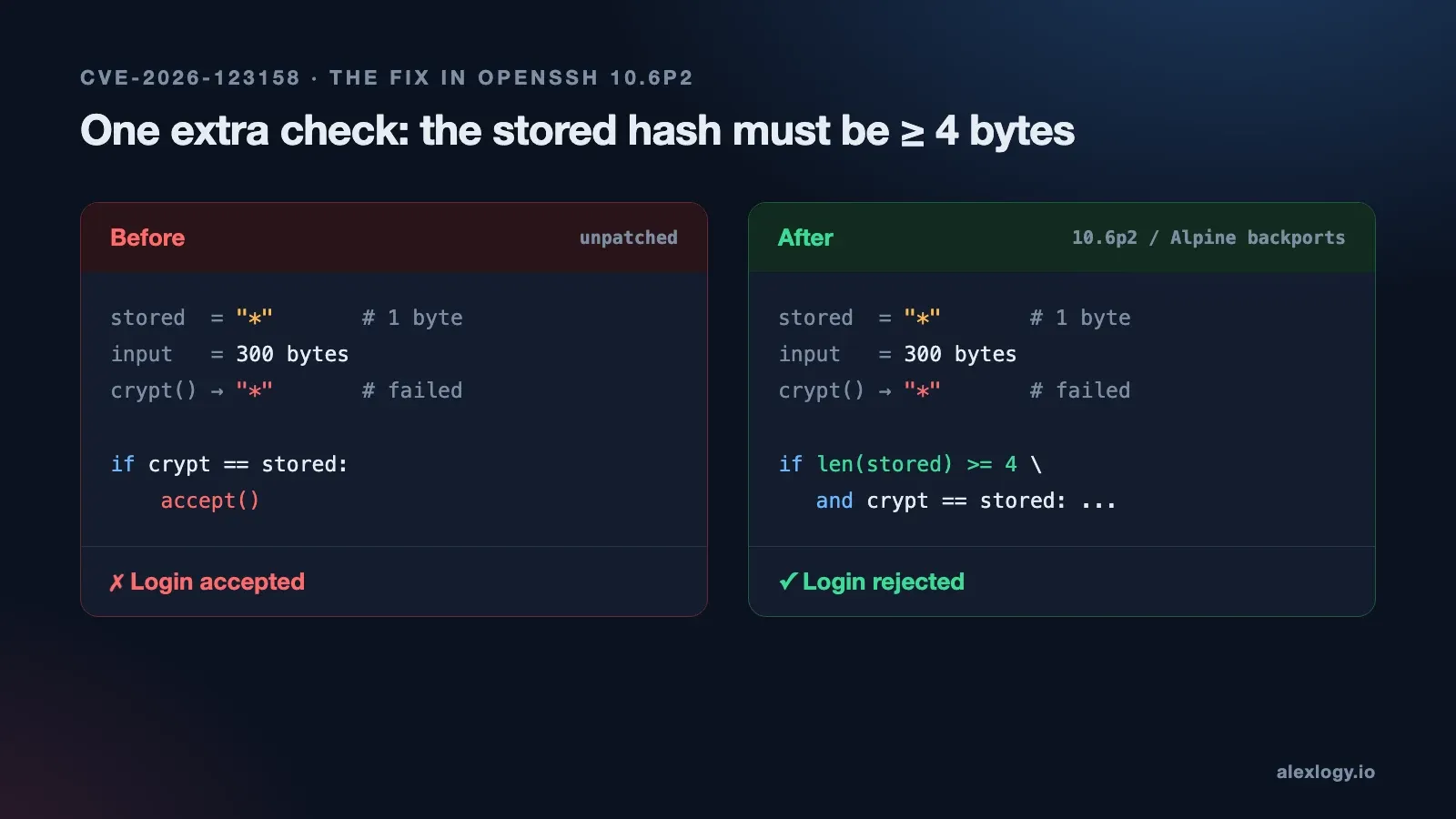
* values. The patched code rejects the one-byte stored field.The fix itself is tiny. OpenSSH still does the timing work, but now the stored password field has to be at least four bytes long before it can count as a match. A lonely * is one byte, so it fails, no matter what crypt() returns.
How to patch CVE-2026-123158 on Alpine Linux
1. Update the package and restart sshd
I'd go after anything reachable first: Alpine bastions, admin VMs and SFTP boxes. On a standard Alpine host, Alpine recommends a full upgrade and then a restart.
Before you touch anything, keep an existing SSH session open and make sure you've got a way back in if it goes wrong. Locking yourself out of a bastion is not a fun afternoon.
apk upgrade -U -a
sshd -t && rc-service sshd restart
Don't skip the restart. Upgrading the package doesn't touch the daemon that's already running. Once it's back up:
- Check the installed revision against the table above
- Make sure the service actually restarted
- Open a new SSH session to confirm you can still get in
Running sshd inside containers or VM templates? Rebuild the image, redeploy and check the new instance too.
2. Can't patch yet? Turn off password auth
Test key login in a separate session first. Then set PasswordAuthentication no in the config sshd actually reads, check your Match blocks, validate the config and restart.
One gotcha: Alpine only reads /etc/ssh/sshd_config.d/ by default from 3.19 onwards. On anything older, edit the main config file. Then run the sshd -T -C check again and make sure you see passwordauthentication no for the users and networks that matter.
3. Check whether someone already got in
Patching closes the door. It doesn't tell you if anyone walked through it before you did.
Search for Accepted password for in /var/log/messages, or wherever your SSH logs go. Focus on successful password logins to accounts that had no password at the time. Then look at where they came from, any doas activity, new accounts and changes to authorized_keys. If the host has been reconfigured since the disclosure, go by how the accounts looked back then.
If your SSH logs already go to a SIEM, this is a quick search across the whole fleet. I wrote about setting one up in my Wazuh homelab post.
Find a password login to a key-only account that nobody can explain? Treat it as an incident. Keep the logs and work out what that account could reach, root included.
Common questions
Is Ubuntu, Debian or RHEL affected by CVE-2026-123158? The OpenSSH maintainers say it only affects OpenSSH built with musl libc and checking passwords without PAM on Linux. Mainstream glibc distros using PAM aren't on that path, but check your vendor's advisory for the package you actually run.
I use SSH keys. Am I safe? Not automatically. Giving someone a key doesn't turn off password auth on the server. You're covered only if PasswordAuthentication is effectively no for that user, or AuthenticationMethods requires a key first.
Are Alpine Docker containers vulnerable? Only if the container runs sshd. Most don't.
Is upgrading the package enough? Nope. Restart sshd, and rebuild any images or templates that ship it.
Final thoughts
The tiny-cloud example is what stuck with me most. You can review a VM image, see it's key-only, sign it off, and still miss what changes after first boot. A console password someone added "just for recovery" can expose a completely different account on the same machine.
So once the live servers are patched and checked, I'd go back to the templates, the provisioning scripts and whatever image we'd roll back to. Fixing today's servers is the easy part. The next one we build needs to come with the fix already in.