
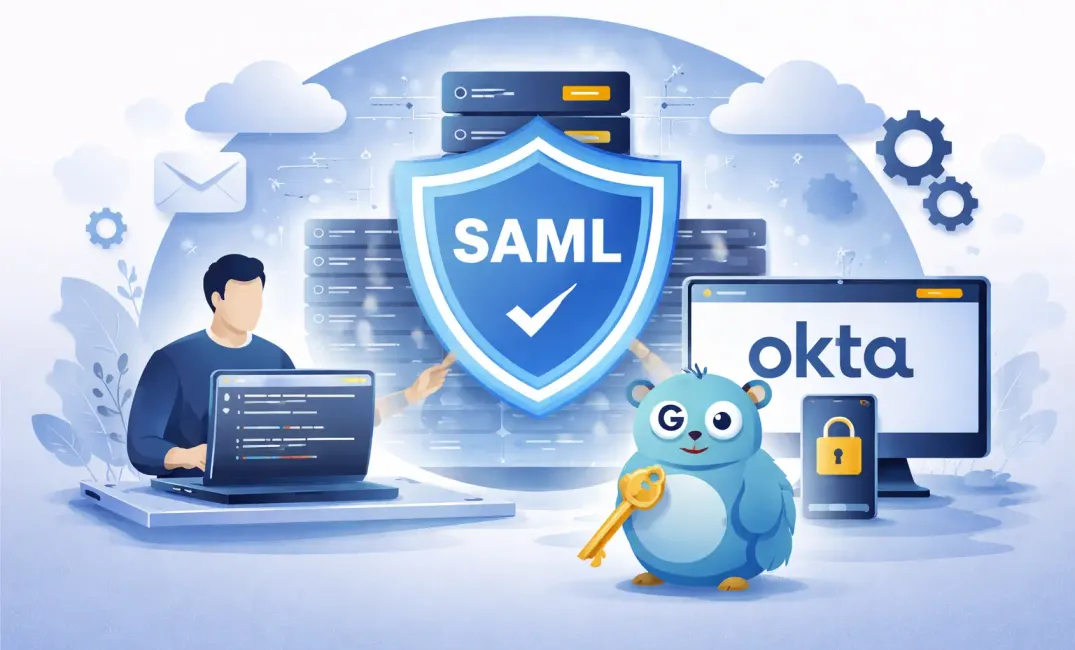
This guide walk you through a working SAML implementation in Go with Okta.
Code Repository
I have pushed the code into my GitHub Repository. You can find it here:
 alexlogy
What will we build
We will build the following components in Go:
- SAML Login with Okta
- Attributes Extraction
- Protected Routes
- Logout
Architecture Overview
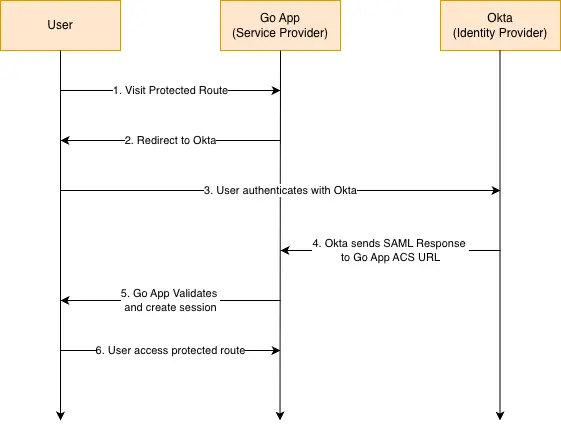
We will be implementing SP-initiated SAML authentication flow for our sample app.
SP-Initiated SAML Flow
Tech Stack
We will be using the following tech stack:
- Go 1.26+
- Gin Web Framework - https://github.com/gin-gonic/gin
- SAML Library for Go - https://github.com/crewjam/saml
- Okta (Identity Provider) - https://www.okta.com/
How it works
You can refer to the code in the repository to understand more. I will just explain briefly on the different part of the SAML authentication process.
SAML Middleware
We use the SAML library for go to implement our middleware. When we initialize the instance, it will take in the private key and certificate, IdP metadata and ACS URL.
func Saml(cfg *models.Config) (*samlsp.Middleware, error) {
	certFile := cfg.SAMLSPCertFile
	keyFile := cfg.SAMLSPKeyFile
	rootURLValue := cfg.AppURL
	idpMetadataURLValue := cfg.SAMLIDPMetadataURL

	keyPair, err := tls.LoadX509KeyPair(certFile, keyFile)
	keyPair.Leaf, err = x509.ParseCertificate(keyPair.Certificate[0])


	idpMetadataURL, err := url.Parse(idpMetadataURLValue)
	idpMetadata, err := samlsp.FetchMetadata(context.Background(), http.DefaultClient, *idpMetadataURL)

	rootURL, err := url.Parse(rootURLValue)

	samlSP, err := samlsp.New(samlsp.Options{
		URL:         *rootURL,
		Key:         keyPair.PrivateKey.(*rsa.PrivateKey),
		Certificate: keyPair.Leaf,
		IDPMetadata: idpMetadata,
	})

	return samlSP, nil
}
Defining Routes
These are the routes defined for our sample application.
router.GET("/", func(c *gin.Context) {
    // Return JSON response
    c.JSON(http.StatusOK, gin.H{
        "message": "welcome to okta-authentication app",
    })
})

// SAML routes
router.GET("/saml/metadata", gin.WrapH(samlSP))
router.POST("/saml/acs", gin.WrapH(samlSP))
router.GET("/saml/sso", gin.WrapH(samlSP))
router.GET("/signout", middleware.SignOut(samlSP, cfg))
Protecting Routes with Middleware
We then simulate protected routes with Gin Framework and configured it to use the SAML middleware by CrewJAM.
protected := router.Group("/user")
protected.Use(middleware.SamlMiddleware(samlSP))
{
    protected.GET("/info", controller.GetUserInfo)
}
Extract User Attributes from SAML Assertion
We then extract the attributes from Okta.
func GetCurrentUser(c *gin.Context) (*models.User, error) {
	// debug saml attributes
	ctx := c.Request.Context()

	slog.Info("resolved SAML attributes",
		"name_id", samlsp.AttributeFromContext(ctx, "name_id"),
		"email", samlsp.AttributeFromContext(ctx, "email"),
		"firstName", samlsp.AttributeFromContext(ctx, "firstName"),
		"lastName", samlsp.AttributeFromContext(ctx, "lastName"),
		"phone", samlsp.AttributeFromContext(ctx, "phone"),
	)

	email := samlsp.AttributeFromContext(c.Request.Context(), "email")
	if email == "" {
		slog.Warn("user not authenticated")
		return nil, fmt.Errorf("user not authenticated")
	}

	return &models.User{
		FirstName: samlsp.AttributeFromContext(c.Request.Context(), "firstName"),
		LastName:  samlsp.AttributeFromContext(c.Request.Context(), "lastName"),
		Email:     email,
		Phone:     samlsp.AttributeFromContext(c.Request.Context(), "phone"),
	}, nil
}
Implement Logout Function
We also implemented a logout function to delete local session then redirect to Okta signout URL.
func SignOut(samlSP *samlsp.Middleware, cfg *models.Config) gin.HandlerFunc {
	return func(c *gin.Context) {
		if samlSP == nil {
			slog.Error("SAML middleware not initialized for signout")
			c.AbortWithStatusJSON(http.StatusInternalServerError, gin.H{
				"error": "SAML middleware is not initialized",
			})
			return
		}

		if err := samlSP.Session.DeleteSession(c.Writer, c.Request); err != nil {
			slog.Error("failed to delete local SAML session", "error", err)
			c.AbortWithStatusJSON(http.StatusInternalServerError, gin.H{
				"error": "failed to sign out",
			})
			return
		}

		if cfg != nil && cfg.LogoutURL != "" {
			oktaLogoutURL := cfg.LogoutURL + "/login/signout?fromURI=" + cfg.AppURL
			slog.Info("redirecting to logout URL: " + oktaLogoutURL)
			c.Redirect(http.StatusFound, oktaLogoutURL)
			return
		}

		slog.Info("logout URL not configured, redirecting to root")
		c.Redirect(http.StatusFound, "/")
	}
}
URL to be used to logout from Okta
https://your-okta-domain/login/signout?fromURI=http://localhost:8080How to RUN the Sample App
Next, we will try to run the sample app from the repository.
Project Structure
├── routes/
│   └── routes.go
├── config/
│   └── config.go
│   └── validator.go
├── middleware/
│   └── saml.go
├── models/
│   └── users.go
│   └── config.go
├── controllers/
│   └── user.go
├── config.json
├── main.go
├── go.mod
├── DockerFile
Clone the code repository
Clone the code repository into your local environment
git clone https://github.com/alexlogy/sample-okta-authenticationGenerate Self-Signed Certificates
SAML will require certificates for signing and encryption. We have to generate the certificates using openssl.
openssl req -x509 -newkey rsa:2048 \
-keyout sample-app.key \
-out sample-app.crt \
-days 365 -nodes \
-subj "/CN=localhost"
Convert the CRT file into PEM format for use in Okta Admin Portal later.
openssl x509 -in sample-app.crt -outform PEM -out sample-app.pemCreating a SAML App in Okta
- Login into your Okta Admin Console
- Go to Applications -> Applications
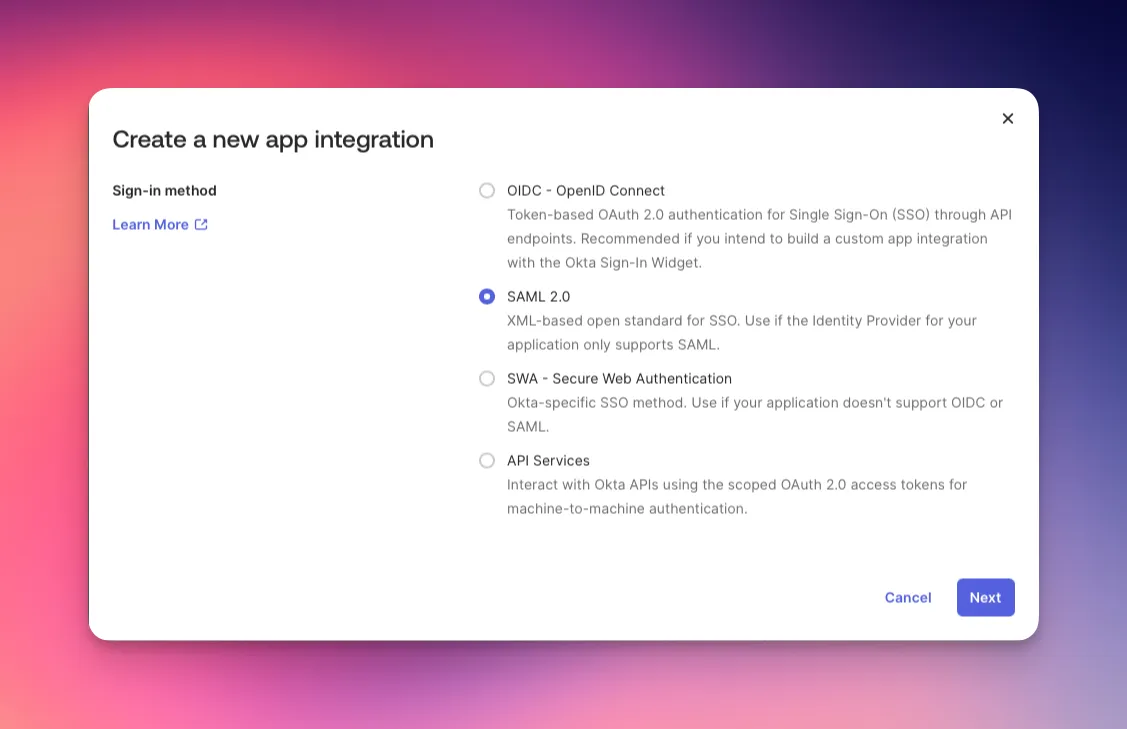
- Click Create App Integration
- Select SAML 2.0
- Give it a Name and click Next
Configure SAML Settings
- Configure the following fields in SAML Settings:
- Single sign-on URL: http://localhost:8080/saml/acs
- Audience URI (SP Entity ID): http://localhost:8080/saml/metadata
- Name ID format: EmailAddress
- Application username: Okta username
- Update application username on: Create and update
- Assertion Encryption: Encrypted
- Upload the pem certificate created earlier into Encryption Certificate and Signature Certificate
- Click Next
Configure Attribute Statements
- Next, go to your created Application and click Sign On tab.
- Scroll down to Attribute statements and map your attributes.
- Refer to Okta Admin Console -> Directory -> People -> Your Name -> Profile to see the available attributes. Your attributes might differ if you're using federation with Active Directory, etc.
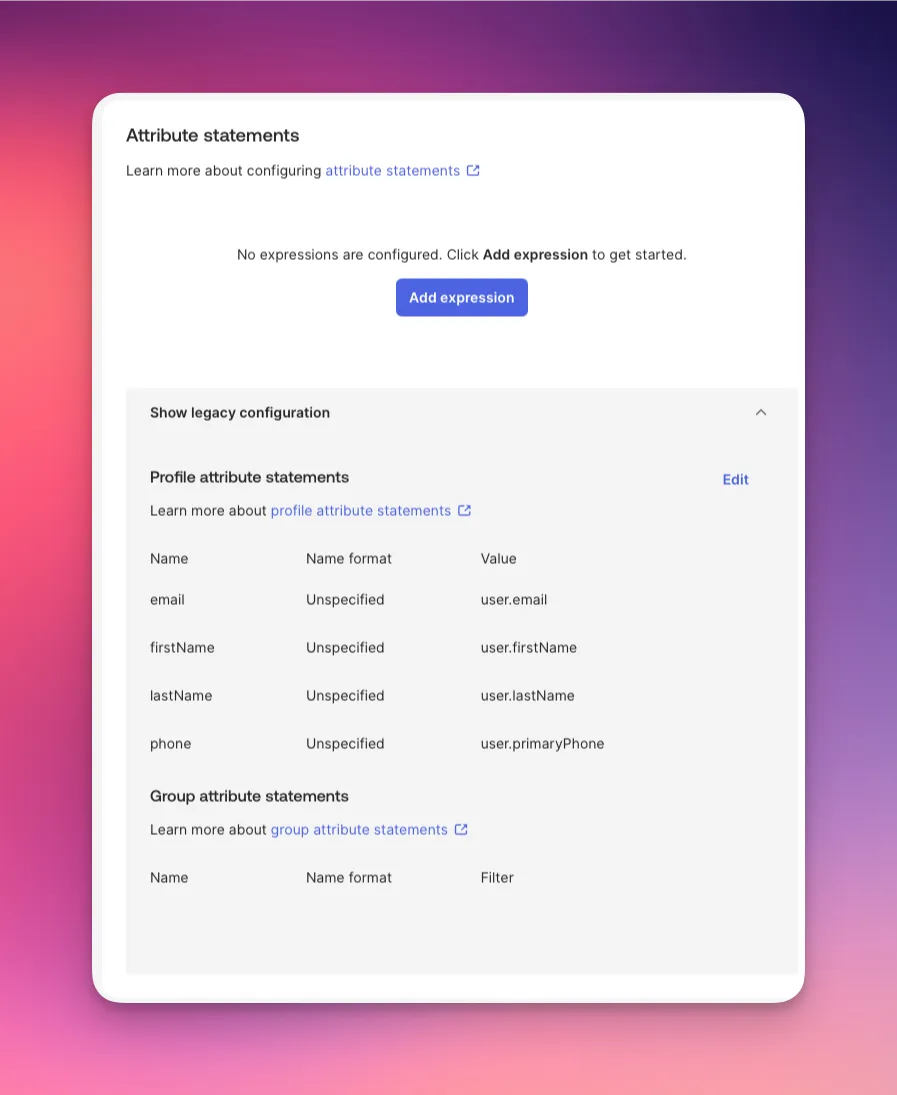
Important! If you skip this step, your app gets empty attributes and the authentication might fails.
Obtain Okta SAML 2.0 Metadata
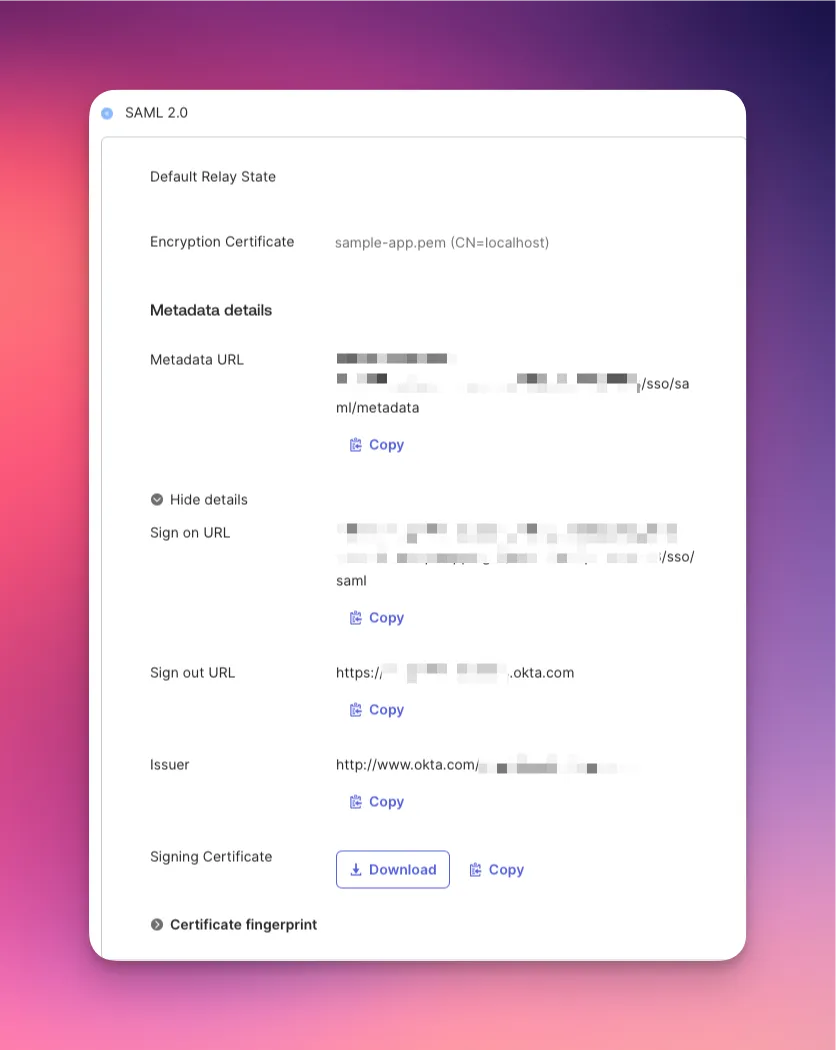
Once you have configured the above, you should be able to see the SAML metadata of the configured app.
Configure the Go App
The configuration for the app is defined in config.json.
{
  "app_url": "http://localhost:8080",
  "saml_idp_metadata_url": "https://xxxx.okta.com/app/xxxx/sso/saml/metadata",
  "saml_sp_cert_file": "sample-app.crt",
  "saml_sp_key_file": "sample-app.key",
  "logout_url": "https://xxxx.okta.com"
}
Replace the respective information with the metadata information you get from Okta App integration above.
Build the Docker Image
We will then build the docker image. I'm using podman on my Mac, it's the same command with docker if you're using Docker Desktop.
podman build -t sample-okta-app .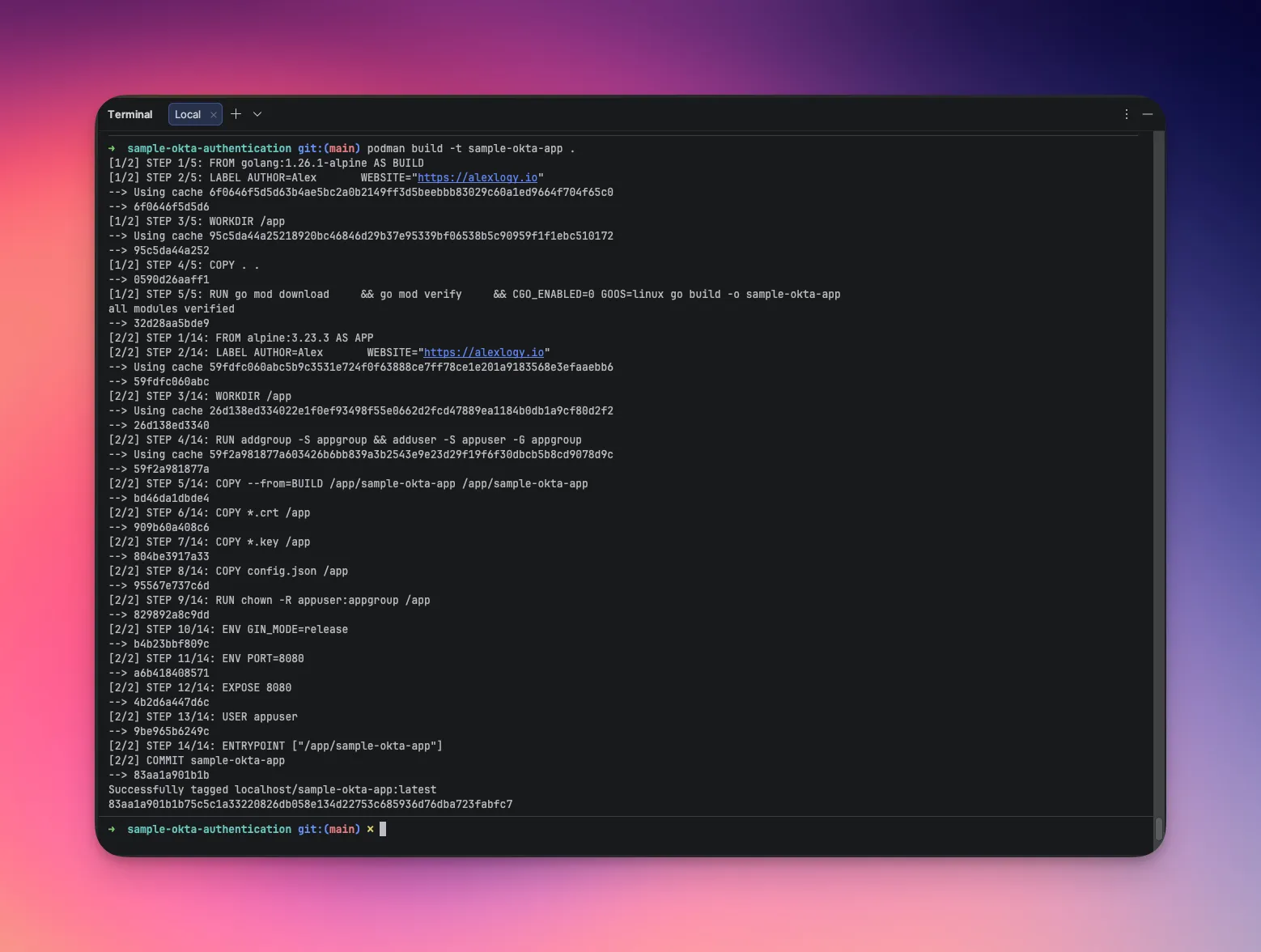
Run the container
We will then run the container.
podman run -p 8080:8080 sample-okta-appOpen the URL in Browser
Open the URL in browser to access the web application.
http://localhost:8080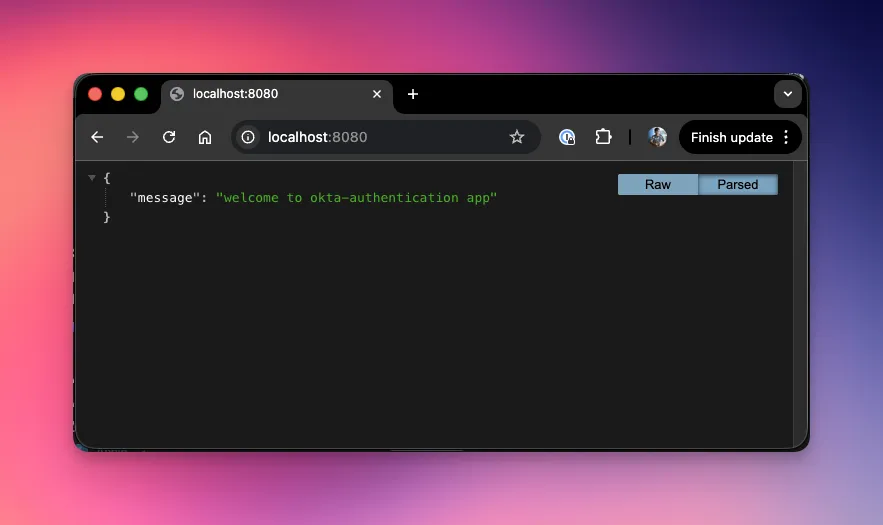
Access Protected Path in Sample App
We will then try to access protected path in the web application.
http://localhost:8080/user/infoIt should redirect you to Okta for authentication.
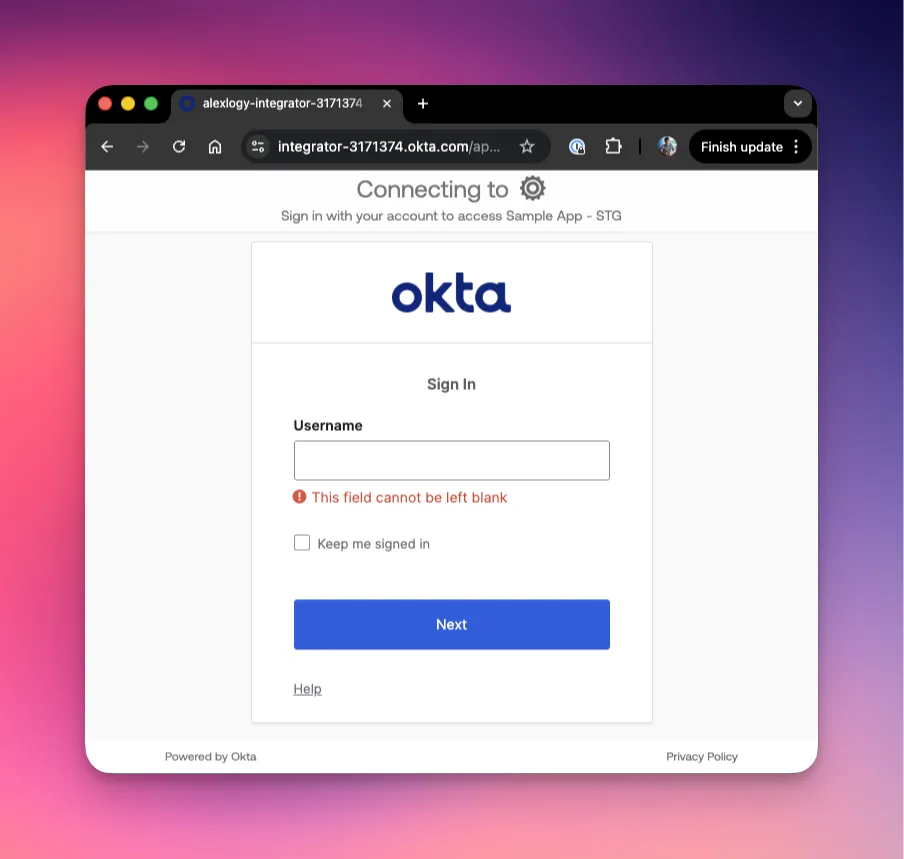
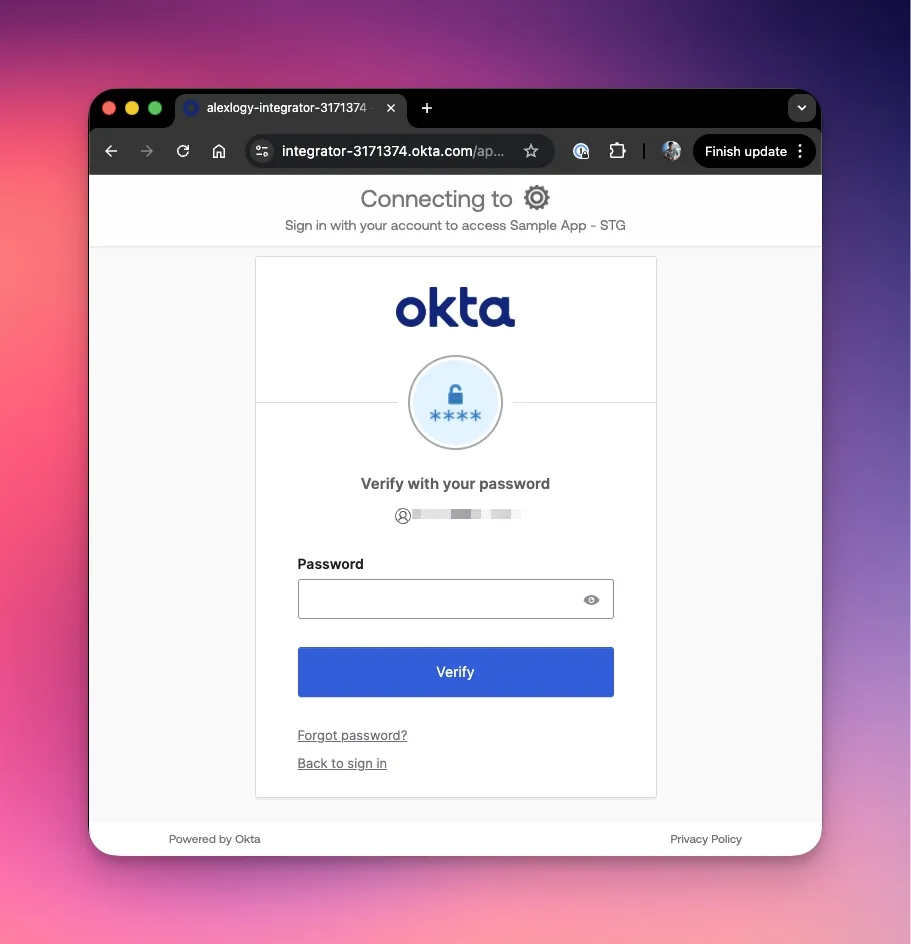
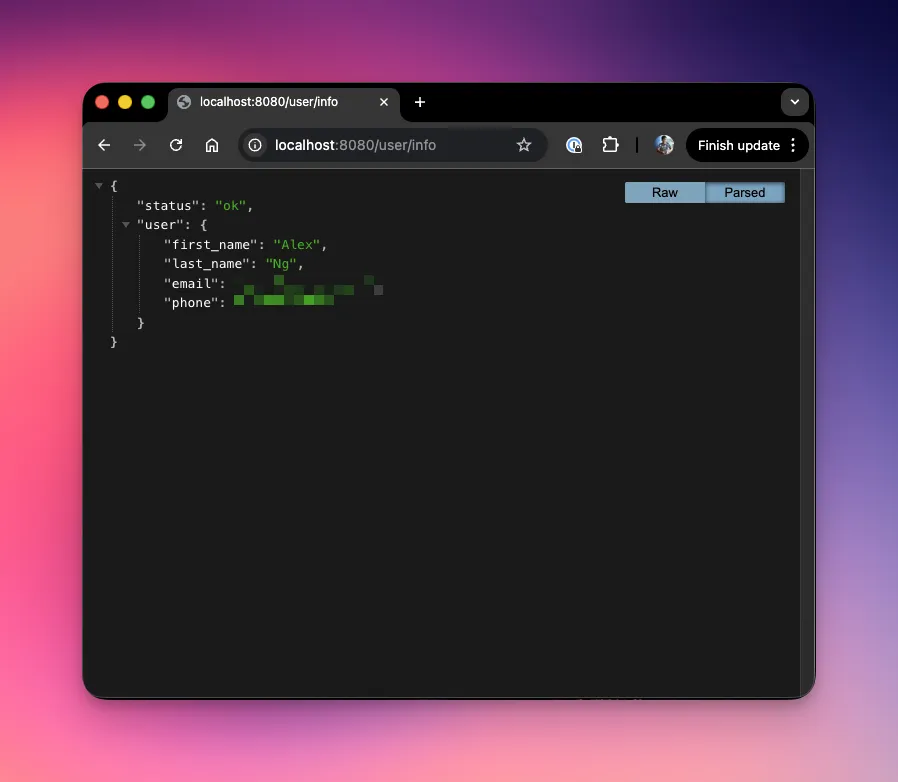
Once you're fully authenticated, Okta will redirect you back to the protected resource.
Final Thoughts
SAML authentication is not inherently complex. Most failures don't come from code but from configuration errors between the Service Provider and the Identity Provider. Errors can include:
- Incorrect ACS URL
- Missing Attributes
- Mismatched Audiences
- Etc
Once you internalize the flow, everything becomes easy. Refer to my previous post on "How SAML Authentication Works" to read about it again if you wish!